
SquarePact will find and fix an issue in your current contract.
Or your first month is free.
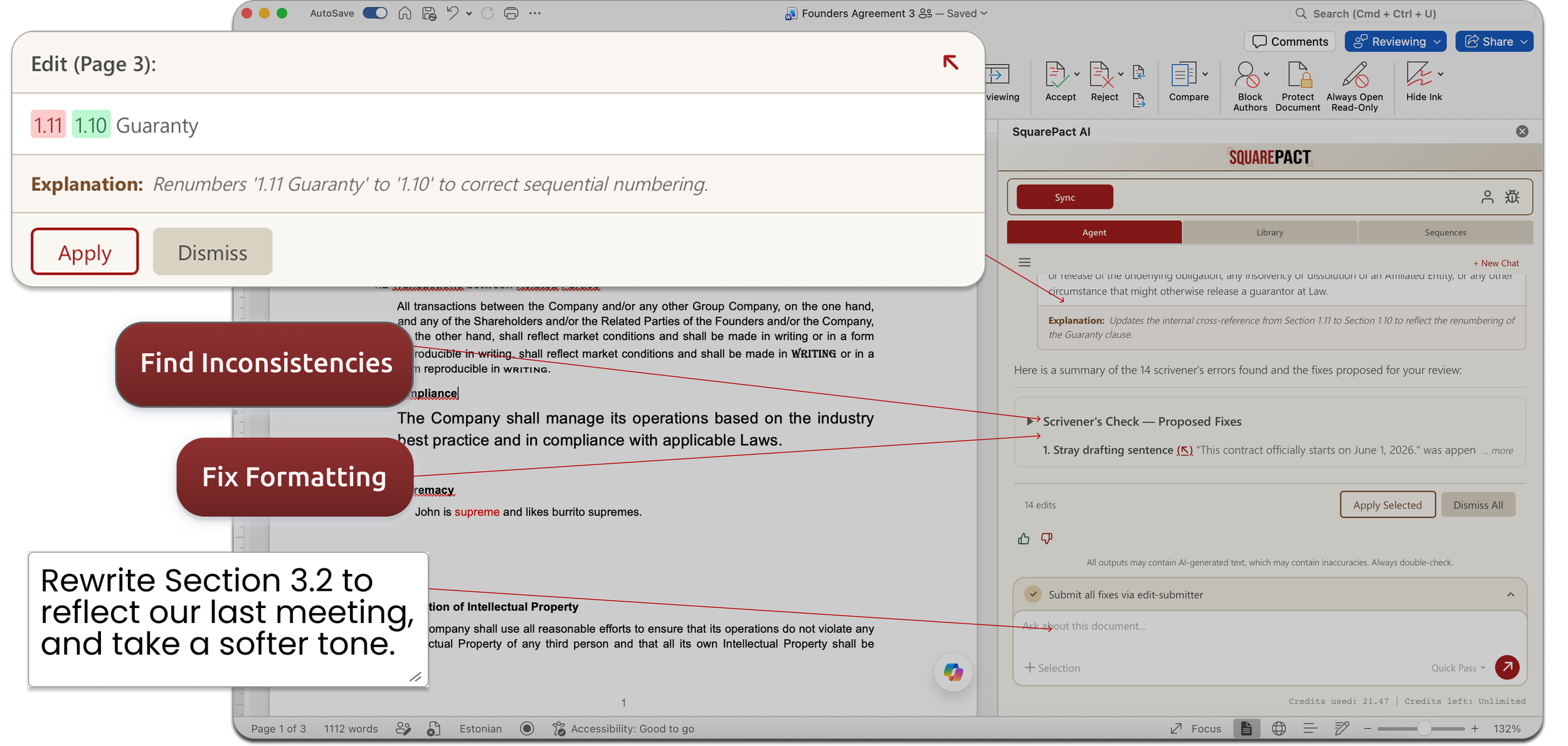
That issue is going to surface either way. Better you find it on a quiet call than the other side’s lawyer finds it in their redlines.
SquarePact is built for the Word documents that can't afford mistakes: contracts, proposals, reports, and policies.
Trusted Members Of



We don’t want your data. We only use Zero Data Retention AI.
Read our Privacy Guarantee to learn more.
What happens on this call
No prep, no install. Just about twenty minutes of your time, and we’ll show you how to get back up to 10 hours / week.
1) Bring a contract
A Word document (at least 20 pages long) you’d send out today. Final, or close to it.
2) We scan it live
We screenshare and run SquarePact on your document, right there on the call. You don’t need to prepare or study, we’ll show you how easy it is to run by doing it for you.
3) See what it finds
SquarePact will flag issues relating to formatting, scrivener’s errors, and more. You decide what to do with it. Anything we use or find is deleted from our side the second the call is over.
If we don’t find anything of use, you get one free month of SquarePact.
This is what an AI agent built natively for Word looks like.
-
Numbered lists reset. Styles disappear. Cross-references break. Anything that touches your document through a chat window is guessing at the content — it doesn't know the structure. SquarePact edits at the XML level, where Word actually lives. Formatting doesn't break because we never leave Word's native format.
-
Consistency checks, cross-reference verification, defined term audits — these don't require language judgment. Running them through an LLM is slow and expensive. SquarePact uses deterministic code for mechanical work and reserves AI calls for the things that actually need them. The same checks cost cents, not dollars.
-
Generic AI tools hallucinate. They also paraphrase when they shouldn't, miss things they're confident they found, and give you no way to verify the output. SquarePact grounds every finding in your actual document — each issue points to an exact location. No guessing whether the finding is real.
-
Other Word add-ins for contract AI (yes, even CoPilot) are general assistants with Word access bolted on. They fail because the Word environment is much more complex than they assumed. So their rushed add-ins end up breaking very frequently. Even when they do work, it’s because their brute-forced expensive AI models rather than efficient, built-for-Word optimized algorithms.
SquarePact was designed from the ground up as a Word add-in — agents that run inside your document, not alongside it. The difference shows immediately.
-
Perfect! SquarePact is designed to work completely inside of Word: you won’t even need to leave Word to install and start using it.
If you’re in an enterprise or government environment, it’s even easier. We can set up SquarePact to work entirely within your existing Azure setup (we find this works best for our government / municipality users).
-
Quite a bit! We have a different focus. See the table below.
You Just Changed One Word, So Why Did The Entire Page Move?
Catch The Errors That Spellcheckers Miss.
No More Re-Typing Your Own Boilerplate Every Time You Need It.
Already Part Of Your Microsoft 365 Stack.
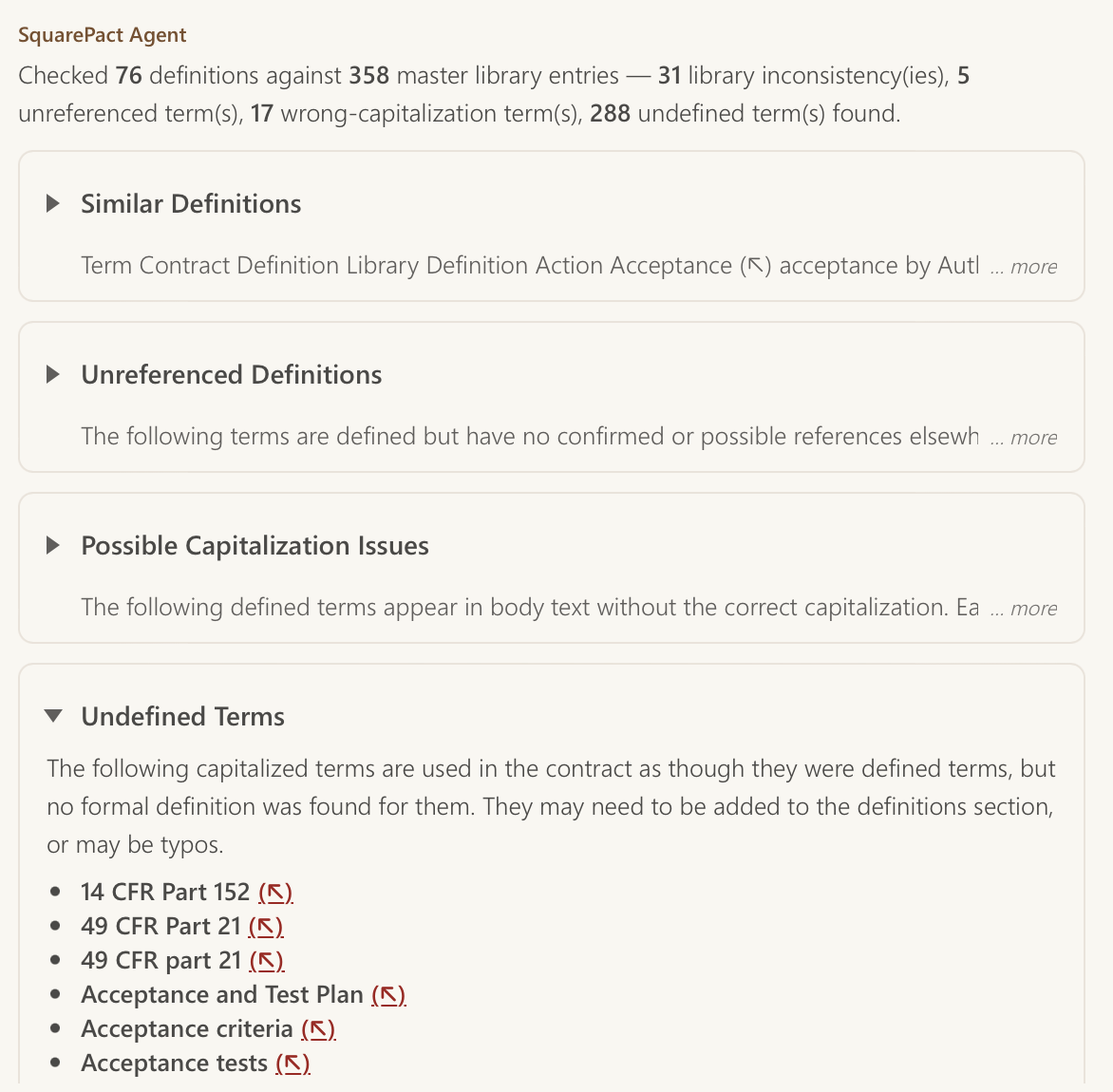
Didn't We Already Define This Term Somewhere?




Installed from AppSource. Runs in Word. Zero data retention.
Book your challenge
Zero risk. Zero obligation. Let us show you how to reduce your document review stress to zero, too.